
Case study, Premier Health of America · 2022
Shifts are booked right in the app
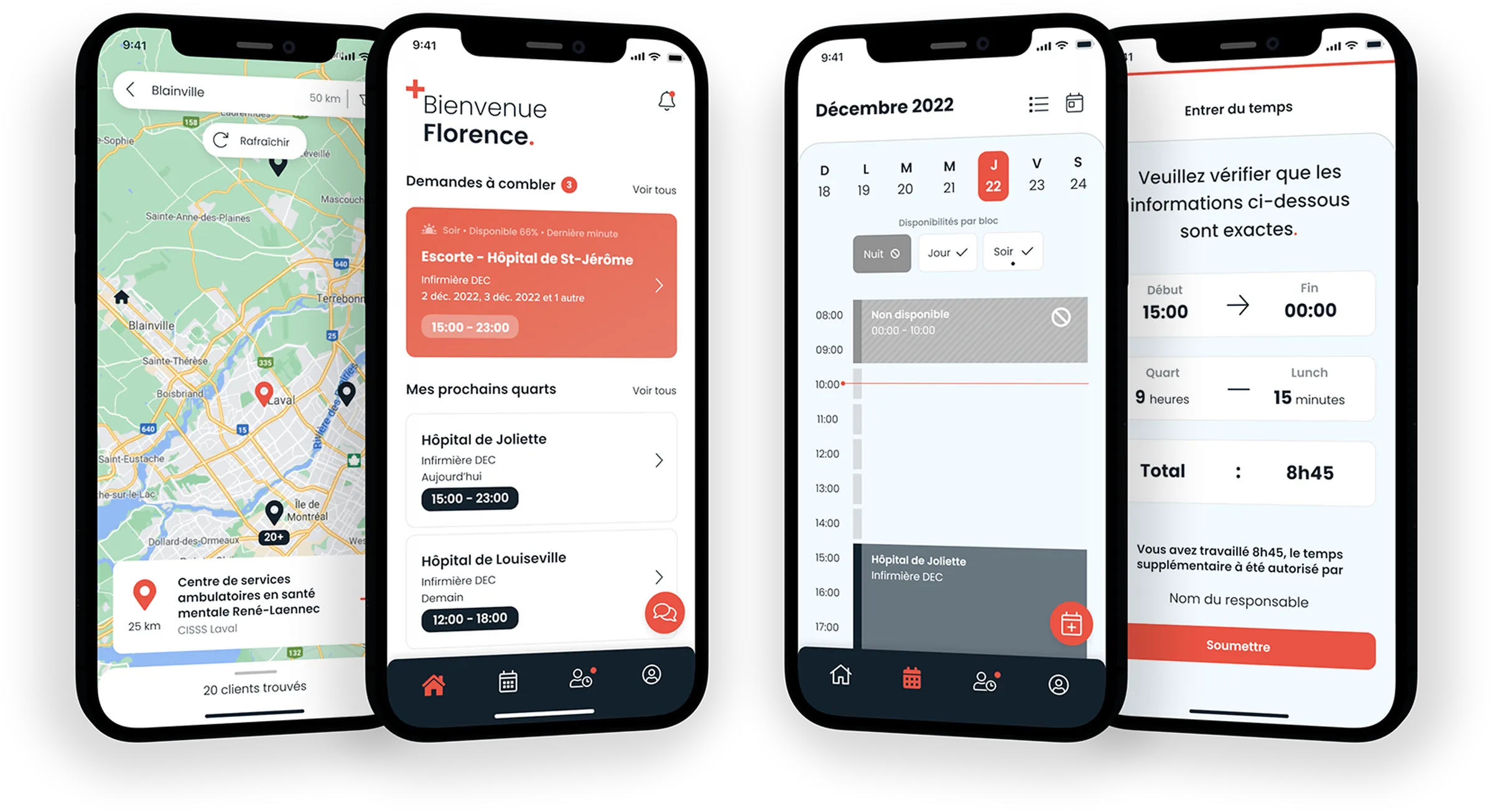
A mobile app where healthcare professionals receive the shifts to fill, book them and manage their schedule.
- Application mobile
- Ingénierie logicielle
- Design UI/UX
- More than 4,500
- Active professionals at the client
- 1 app
- Shifts, schedule, time and clients
01The context
Shifts went to whoever called first.
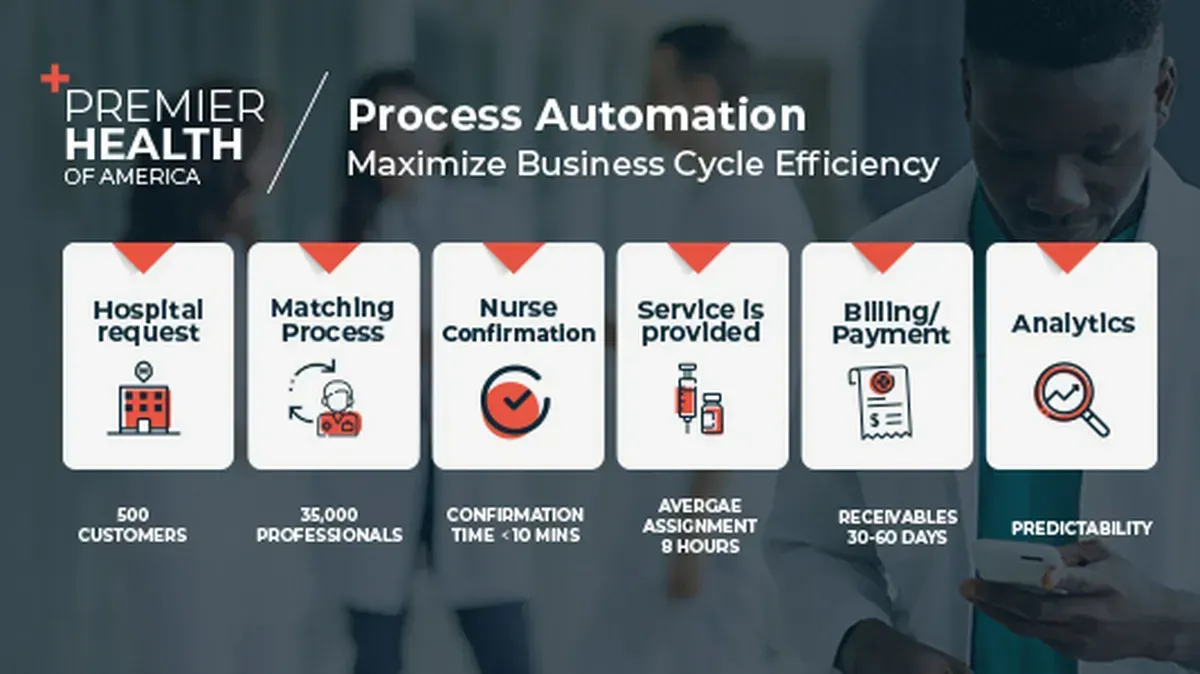
Premier Health of America specializes in healthcare services: it provides recruitment and outsourced service solutions to governments, businesses and individuals. Its business units employ more than 4,500 active professionals across Quebec and in most of Canada's northern territories.
In the previous version of the app, an office employee posted open shifts in a chat thread and assigned each one to the first person who called. Filling out a timesheet and setting availability weren't easy tasks either.
02What we were asked to do
Three goals, shifts well filled.
Premier Health of America trusted Recursyve with a new version of its app for its healthcare professionals.
- 01
Fill the shifts
Offer each shift to the right people, based on their availability and their clients.
- 02
Simplify time tracking
Availability and timesheets entered in a few taps, on the phone.
- 03
Engage professionals
A single app to follow your shifts, schedule and clients.
03The solution
One app, the whole shift.
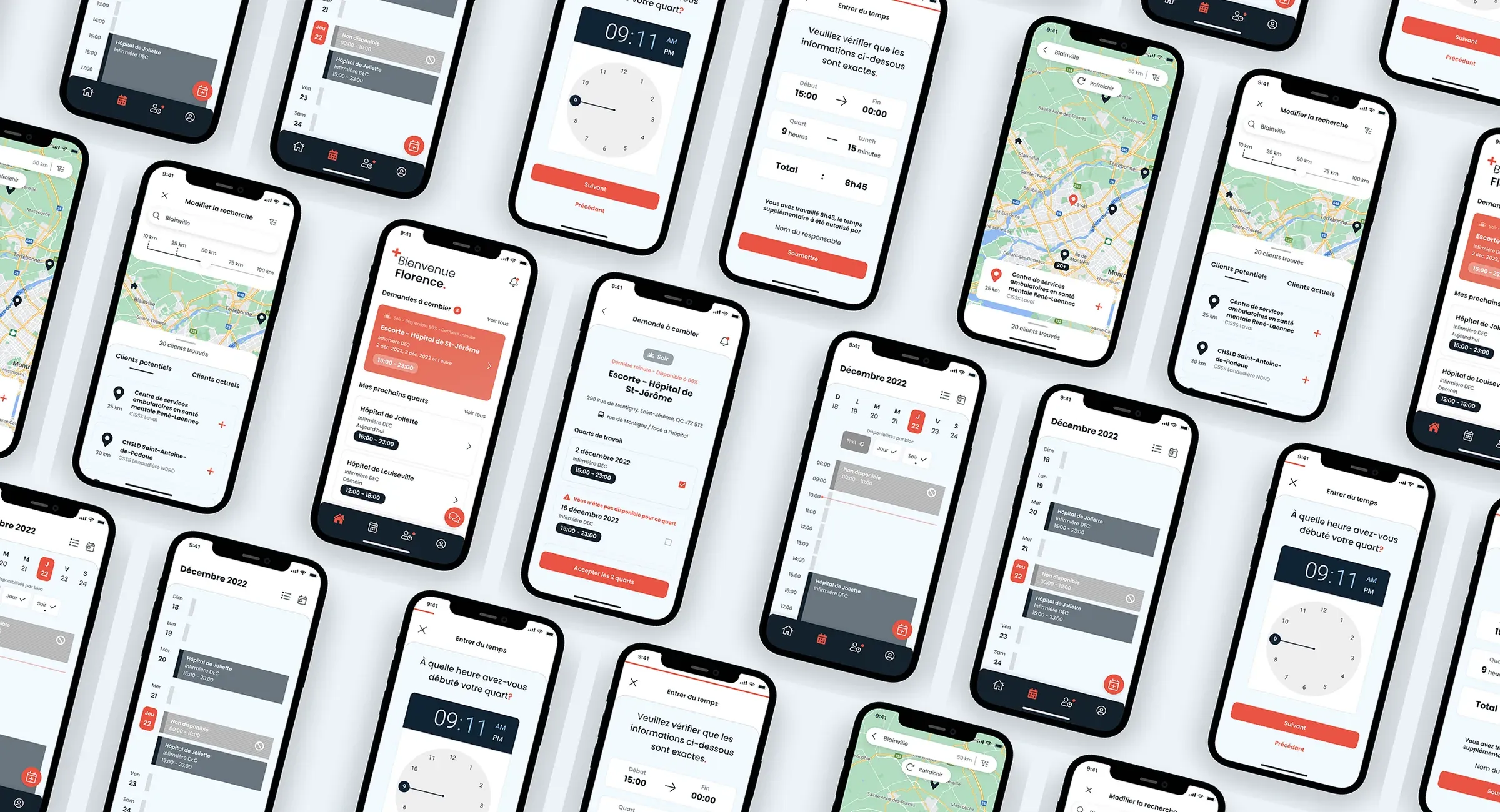
A simple, intuitive mobile app: shift suggestions based on your criteria, booking right in the app, your availability, your timesheets and your clients.
Finding a shift
The shift comes to the professional
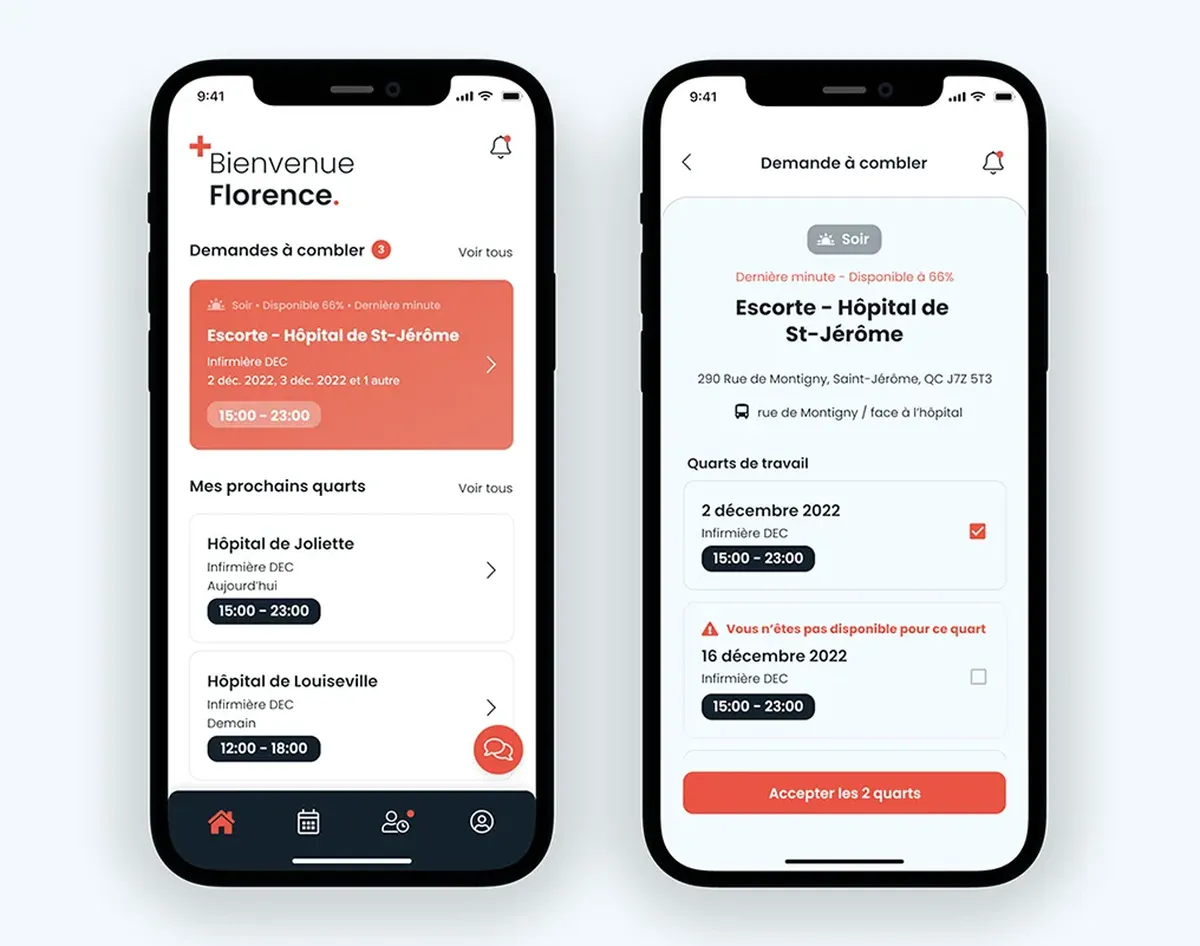
Suggestions based on their availability and clients, a notification for every request to fill and booking right in the app.
Managing the work
Schedule and time in the same place
The availability calendar, timesheets to fill out with their history and a map of their clients.
04The modules
From the shift offered to the timesheet.
Five features, all on the professional's phone.
01 / 05 · Requests to fill
Open shift,
alert sent.
Based on their availability and client list, the professional gets a notification as soon as a shift or a series of shifts needs filling. Requests also wait for them on the home screen.
02 / 05 · Accepting a shift
Two shifts,
one click.
In the request details, they choose their shifts and accept them. The shifts are added to their calendar right away (and to their personal calendar if they wish).
03 / 05 · The availability calendar
No nights?
Noted.
Shifts and availability in the same place. Unavailability can be marked by block (day, evening or night) or custom, for more accurate suggestions.
04 / 05 · Timesheets
Shift done,
time submitted.
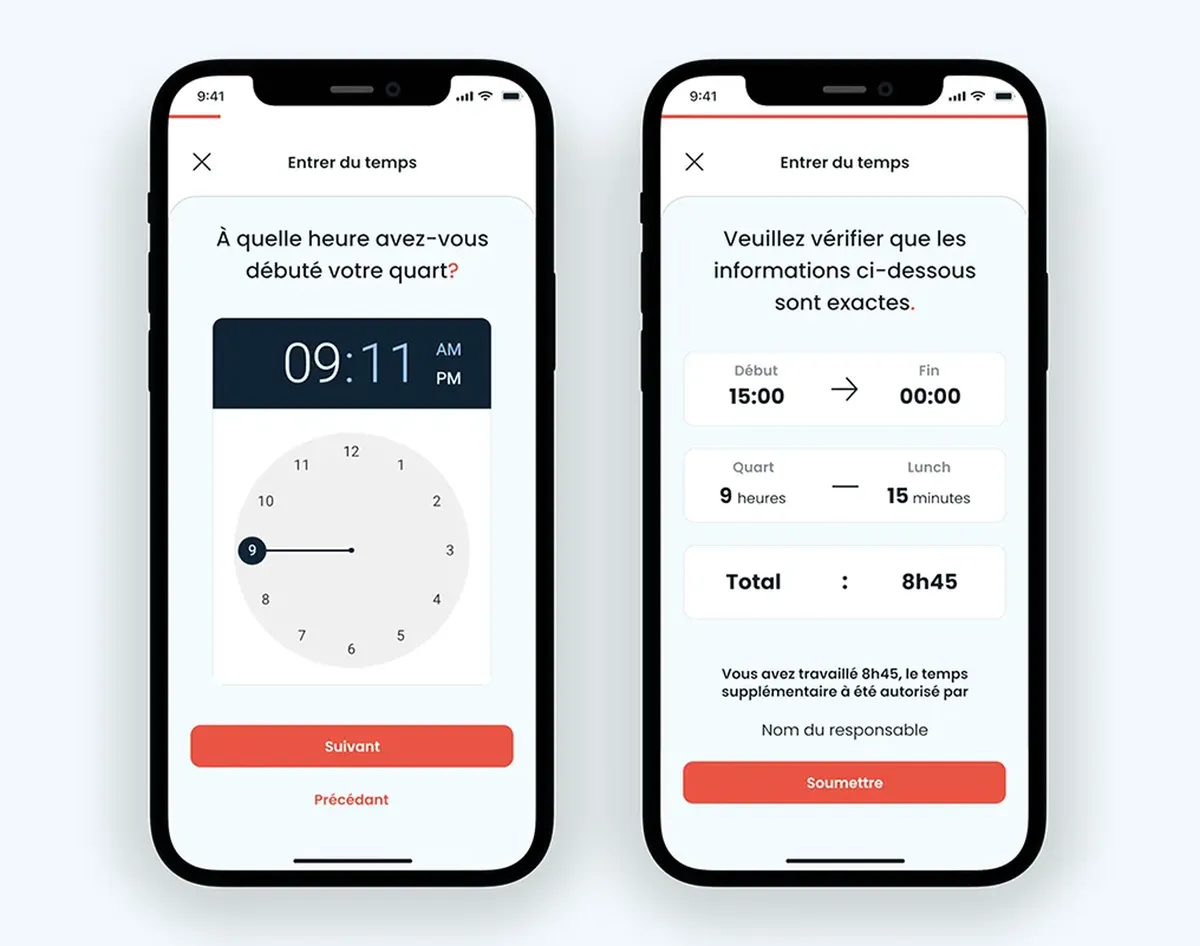
One timesheet per shift: hours worked, lunch and the manager who approved overtime, with a photo of the paper sheet when needed.
05 / 05 · The client list
Their clients,
on the map.
Current and potential clients on a map, filtered by distance, region or type. Adding a client sends them its shifts. Removing one requires a short reason.
05The technology
Flutter, Angular and NestJS.
- Flutter

- Angular

- NestJS

- MySQL

- Redis

- Firebase

- Google Maps

- Sentry

Premier Soin was built with modern, proven technologies:
Flutter: the mobile app.
Angular: the web screens.
NestJS: the server.
06The results
What it changes for professionals.
Shifts are booked right in the app.
The project was featured in The Globe and Mail in April 2022.
A simpler experience for professionals
More engagement
More efficient communications
They really understood our challenges and knew how to guide us through the development process and above all the rollout. Their attention to detail and the quality of their delivery are impeccable.
Translated from French.
07In the press
The project in the media.
An idea in mind?
Let’s chat!